
AI Image Generator: Turn Text into Stunning Art
Instantly transform text into high-quality visuals. Create photorealistic portraits and professional concept art with MonetLabs.
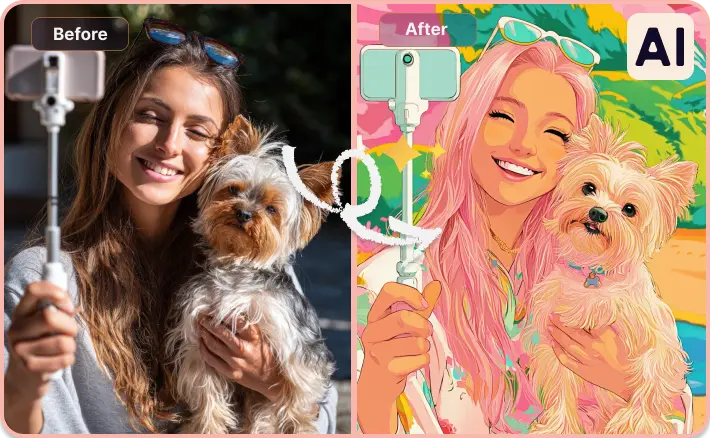
Turn Any Photo into AI Art: Pets, Portraits, and More
Have a favorite pet photo or a selfie you love? Upload it and let MonetLabs AI transform it into a custom digital illustration in seconds. Keep the original vibe and pose while exploring unique styles—perfect for personalized AI pet portraits, creative gift ideas, or viral social media posts. It’s the easiest way to create professional art without complex design tools.
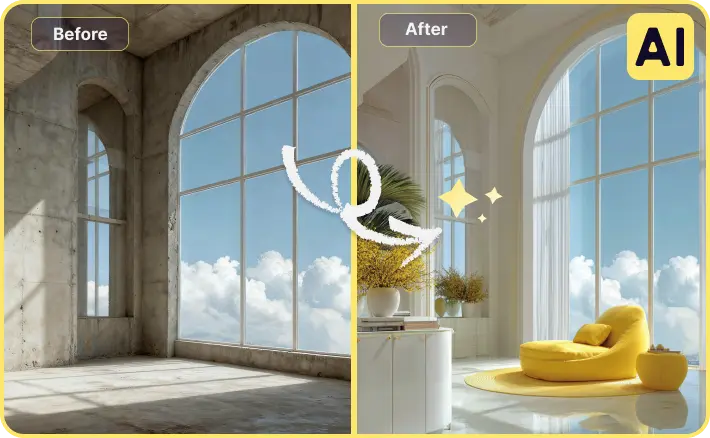
Instant AI Room Makeovers & Interior Visualization
Visualize your dream space — bright, clean, and perfectly styled—without lifting a finger. Our interior design visualization tool lets you reimagine any room from a single "before" photo. Whether you're looking for AI virtual staging for real estate or exploring a "modern minimal" aesthetic for your bedroom, our fast previews help you make confident design decisions.
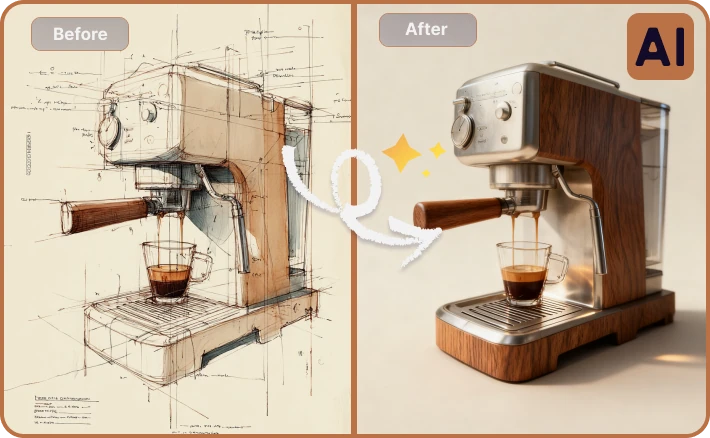
From Sketch to Product Render: Make Ideas Look Real
Start with a rough drawing or a messy draft, then turn it into a clean, photorealistic product visual. As the ultimate industrial design sketch-to-render solution, we help creators produce presentation-ready images for prototypes and pitch decks. Experiment with materials and lighting instantly—skipping hours of 3D modeling time.
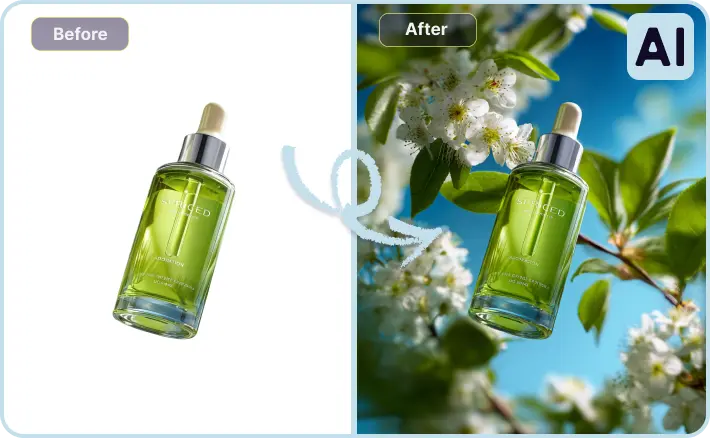
Studio-Quality Product Photos: Boost Your E-commerce Sales
Elevate your product shots from ordinary to studio-grade without the expensive setup. Designed for Shopify and Amazon sellers, our AI product photography tool helps you create consistent, high-converting visuals for skincare, tech, and more. Refine details, remove background distractions, and get polished, professional results that drive sales.
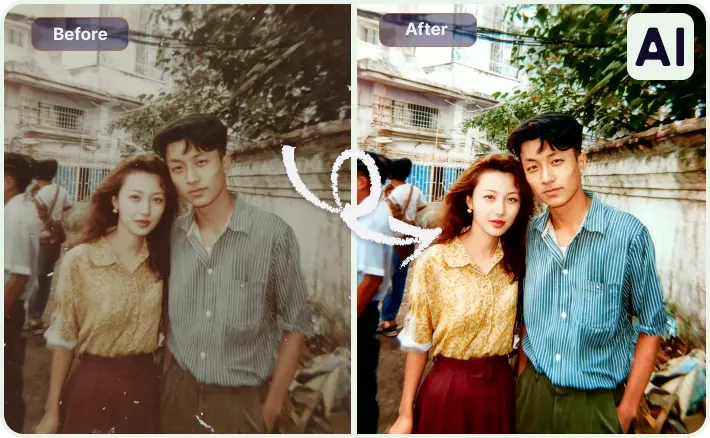
Authentic AI Portrait Upgrades: Your Best Self, naturally
Want a high-quality version of your favorite memory—sharper, brighter, and share-ready? Our AI portrait enhancer breathes life into your photos while preserving natural skin texture, so the result never feels fake. Whether you need a crisp LinkedIn headshot, a polished profile picture, or want to restore old family photos, our tool fixes lighting and clarity effortlessly.
How to Create Stunning AI Art in 4 Steps
Ready to transform your ideas into reality? Follow this simple guide to master the MonetLabs AI generator.
1. Choose Your Starting Point
Navigate to the generator workspace. You can start from scratch with Text-to-Image, or upload an existing photo using Image-to-Image to refine or restyle your own pictures.
2. Describe Your Vision
Enter a descriptive text prompt. Be specific about the subject, style, and lighting. Instead of just "a car," try "a vintage sports car speeding through a rainy neon city, cyberpunk style, cinematic lighting." The more details, the better.
3. Generate & Explore Variations
Hit the "Generate" button and watch MonetLabs bring your concept to life in seconds. You'll get multiple unique variations. Not quite right? Simply tweak your prompt or settings and regenerate until it matches your vision.
4. Upscale, Edit & Download
Pick your favorite version. Use our built-in tools to upscale to 6K resolution or remove backgrounds instantly. Once it's perfect, download the high-quality file for your website, social media, or commercial projects.
Why Choose MonetLabs AI Art Generator?
Discover why professionals switch to MonetLabs. From photorealistic details to full commercial rights, we set the new standard for AI creativity.
Unrivaled Speed & Workflow Efficiency
Create high-quality visuals in seconds, not hours. Whether you're scaling up marketing campaigns or filling product catalogs, our lightning-fast engine accelerates your content production pipeline like never before.
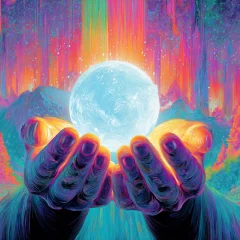
All-in-One AI Creative Suite
We go beyond simple generation. Refine your artwork with powerful built-in tools: use Inpainting to edit specific details, Outpainting to expand borders, and Upscaling to boost clarity to 6K—all without leaving the platform.
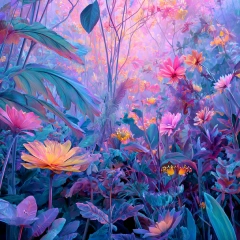
Professional-Grade Photorealism
Tired of plastic-looking AI art? Our advanced models are tuned for photorealistic texture, accurate lighting, and artistic integrity. Get production-ready assets that look hand-crafted, minimizing the need for external post-processing.
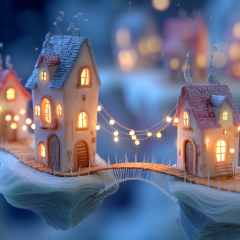
100% Commercial Rights & Copyright Safe
Create with total confidence. You own the commercial license to every image you generate. MonetLabs is designed for business, ensuring your marketing materials, merchandise, and digital assets are royalty-free and safe to use globally.
Ready to Create Your Masterpiece?
Join thousands of creators using MonetLabs to turn ideas into stunning reality. No credit card required—just type a prompt and watch the magic happen instantly.
FAQs about MonetLabs AI Art Generator
Find answers to common questions about using MonetLabs.art to create stunning AI art, commercial rights, and tips for better prompts.
What is the MonetLabs Text to Image feature?
MonetLabs Text to Image is an advanced generative AI tool that turns your words into stunning visual art in seconds. Simply type a text description (prompt), and our AI analyzes your instructions to generate unique, high-quality images. It's the perfect solution for creating marketing visuals, concept art, or social media content without needing any design skills.
How does the MonetLabs AI generator work?
MonetLabs utilizes cutting-edge machine learning models trained on millions of images to understand the relationship between text and visuals. When you input a prompt, our AI interprets the context, style, and subject matter to construct a completely new image pixel by pixel. We ensure our models are optimized to generate legal, safe, and high-resolution art.
Can I use MonetLabs AI images for commercial purposes?
Yes! You own the commercial rights to the images you generate with MonetLabs.art (standard generation). Whether you are creating visuals for client work, digital marketing ads, merchandise, or website assets, you can use them with confidence. We empower creators to monetize their AI art without complex licensing hurdles.
How can I improve my AI image results?
To get the best results, try refining your prompt with more specific details about lighting, style, and mood (e.g., "cinematic lighting," "oil painting style"). If the first result isn't perfect, use our "Generate" button again to get new variations, or try our Image-to-Image feature to guide the AI with a reference photo.
How fast is the image generation process?
MonetLabs is designed for speed. Typically, it takes just a few seconds to generate high-quality AI art. Complex requests or high-resolution upscaling may take slightly longer (up to a minute). You can generate multiple images in parallel to speed up your workflow.
What are the best prompts for AI art generation?
The best prompts are descriptive and specific. Instead of just "a cat," try "a fluffy Siamese cat sitting on a velvet sofa, golden hour lighting, 6k resolution." Including details about the medium (e.g., "3D render," "watercolor"), artistic style, and camera angle helps MonetLabs understand exactly what you visualize.
Are there content restrictions or limitations?
MonetLabs excels at creating a vast range of styles, from photorealism to abstract art. However, we maintain a strict safety policy: we do not generate NSFW, hateful, violent, or illegal content. Our system is designed to be a safe, creative environment for all users.
What is the difference between Image-to-Image and Text-to-Image?
Text-to-Image creates visuals purely from your written description, which is great for starting from scratch. Image-to-Image allows you to upload an existing photo as a reference, which MonetLabs will then modify based on your prompt. Use Image-to-Image when you want to keep the composition or pose of an original photo but change the style or details.